1/3
[Updated 05-09-2025]
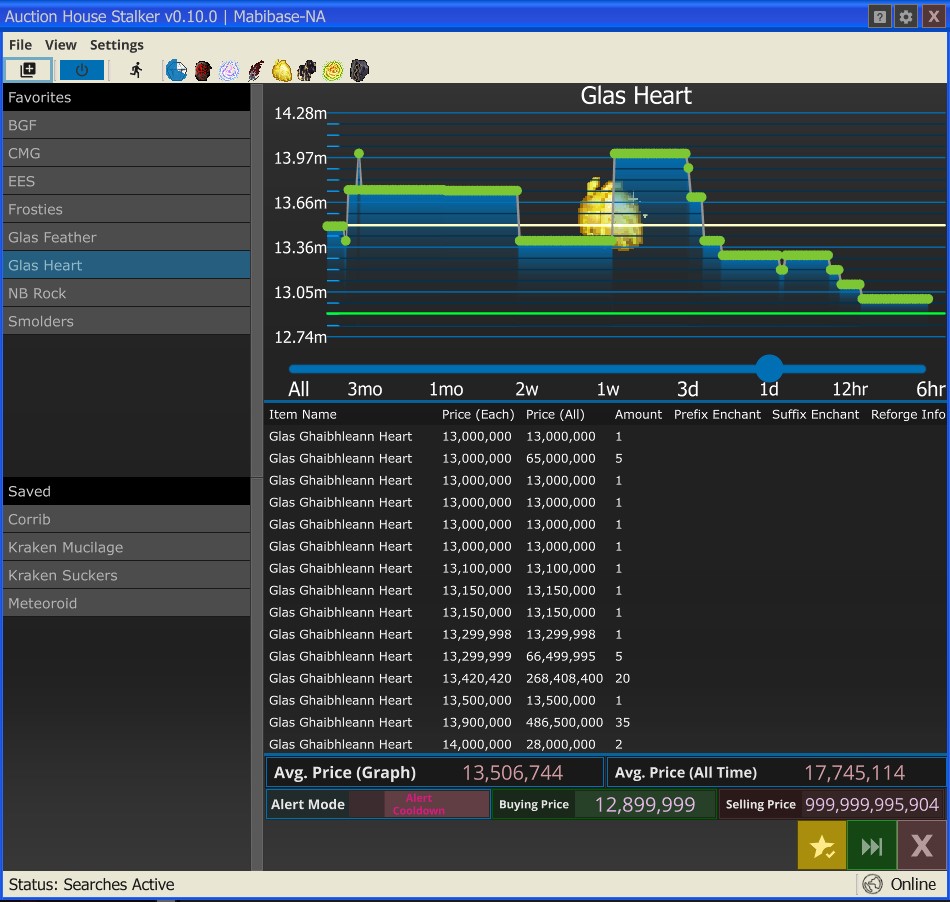
This tool allows you to take the item IDs and add them to a list of automatic or saved searches, track the lowest prices over time, and get automatic alerts if prices fall below your limit or even above for selling stock.
Newest Addition: Mini Mode
As always, you need TouchDesigner installed.
Have you been using the older versions of this app and have some search data piled up? Make sure you use the "Export" button in the options of the old app before running this new version so you can re-import the old data into this new version.
Lastest Changes:
---Removed the need to have processes running in the background (wasting resources) to handle HTTP requests, now all using correct webClientDATs
---Refactored Main UI node pipeline and also refactored time filtering script to use Binary Search instead of brute force searching the data (30,000+ rows gets hard to sift through).
---It should be FAR LESS laggy/slow to select items from the list
---Added an "Auto-Export" feature so people who leave the app open for multiple days at a time can have their data periodically saved (Daily Midnight, Mon/Thurs 2am, or weekly thurs @ 6am)
---Added a "Mini Box" to shrink the UI to a 96px box, showing the last auto-search result. Enable "Always on Top" to keep the window over Mabi or any other program.
---"Always on Top" will correctly apply the property to the app window when changed (instead of next startup)
---Added a pretty little visual for the mini_box which users can turn on in the settings.
---Don't forget: There are keyboard shortcuts for this app too!!! << Ctrl + N Makes a new item | Ctrl + Q will properly quit & save the app | Ctrl + T open my ToDo list | Ctrl + F Enables the "Flasher" for the mini_box mode to make finding it a little easier | Ctrl + , will open the settings window >>
As always, please reach out to me through Discord, Mabi, or even email with questions or problems
[email protected]
comments + ratings
loading comments...